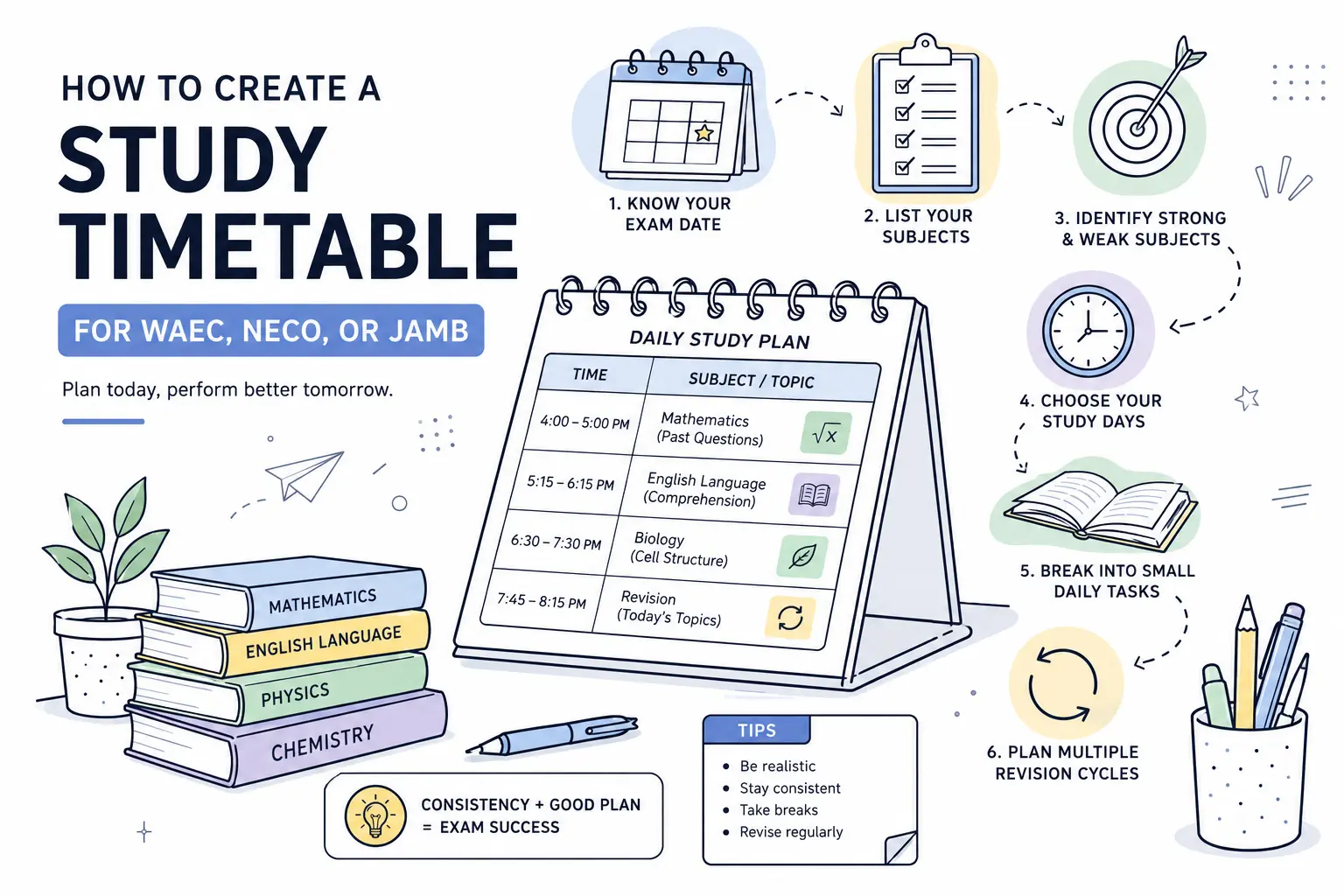
If you are getting ready for the WAEC exam you probably know that there is a lot of work to be done. When you try to study everything without making a plan it can be really overwhelming. You might feel stressed out. You might even miss some topics or have to cram everything in at the last minute.
Having a study schedule is a big help. It tells you what you need to read each day. So you do not have to wake up every morning and think about what you should study. You can just follow your WAEC study plan. Keep moving forward with your studying.
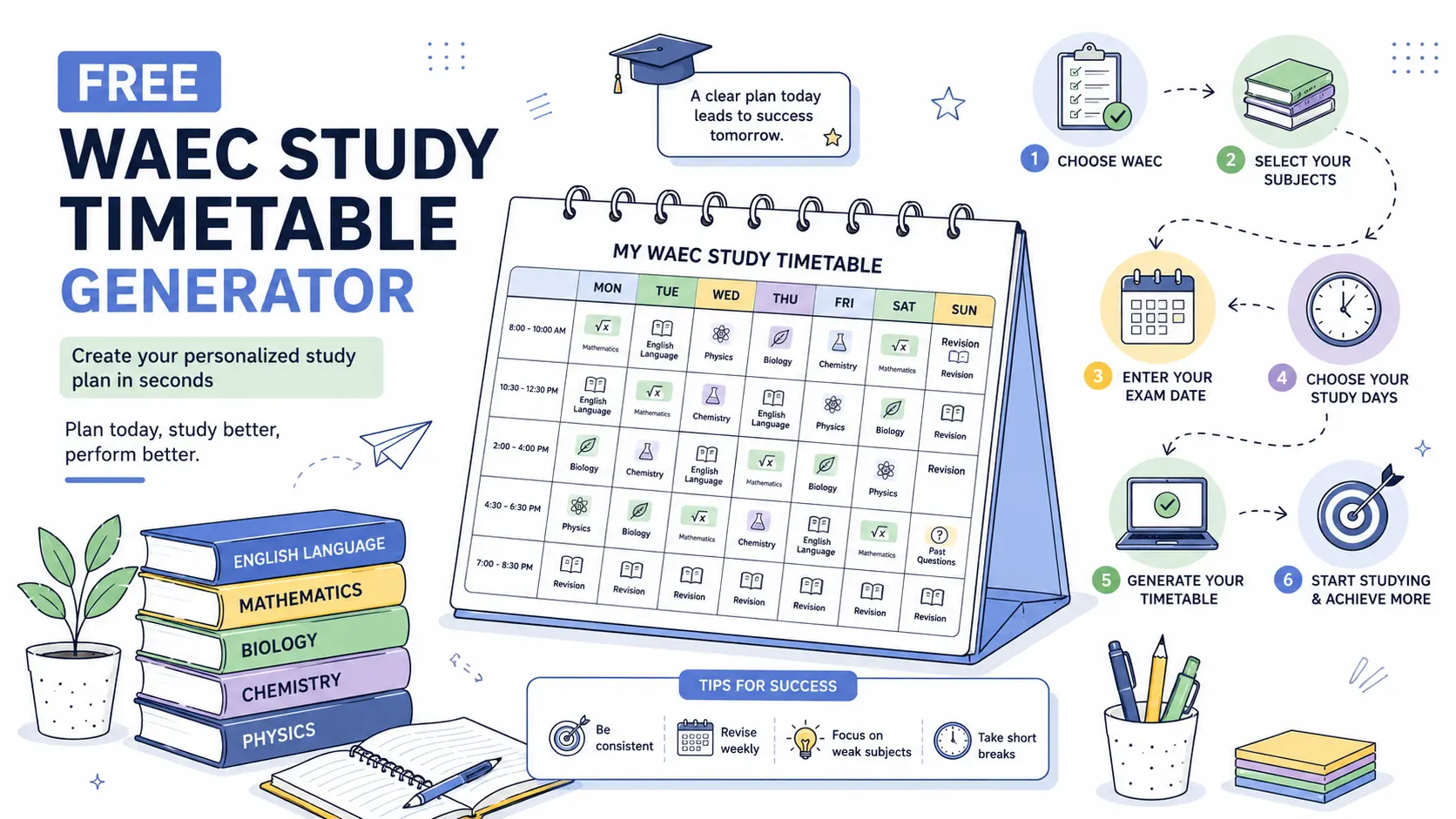
The good thing is that you do not have to make a WAEC study timetable from scratch by yourself. You can make a WAEC study timetable, in just a few seconds and start studying for the WAEC exam right away.
What is a WAEC study timetable?
A WAEC study timetable is like a plan that shows you what to study and when you should study it before your WAEC exams.
This timetable is helpful because it does not let you just read the subject you feel like reading. It helps you use your time well so you can study all your subjects. The timetable also makes sure you finish the WAEC syllabus before the exam date. You will not have to rush and study everything at the last minute.
The best study timetables are realistic. They match the number of days you can study each week, give enough time to difficult subjects, and include regular revision so you don't forget what you've already learned.
Once you have a timetable, the next challenge is sticking to it. That's why having one is only the first step.
Why every WAEC student needs a study plan.
Many students don't fail WAEC because they didn't study. They struggle because they didn't have a clear plan.
A study timetable helps you use your time better. You know what to read each day, so you spend less time deciding where to start and more time actually studying.
It also helps you stay balanced. Instead of focusing only on your favorite subjects, you give enough attention to every subject you'll be writing.
As exam day gets closer, you'll feel more confident because you've been making steady progress instead of trying to cover everything at the last minute.
Even with a timetable, there are a few mistakes that can make it less effective. Let's look at some of the most common ones.
Common mistakes students make
A timetable only works if the timetable is realistic. One of the mistakes students make is filling every hour of the day with study time for the timetable. The timetable might look good on paper but it is difficult to keep up with this timetable.
Another mistake students make is giving too much time to subjects they enjoy and ignoring the subjects they find difficult in the timetable. Those weaker subjects in the timetable often need the attention from students.
Some students also forget to include revision time in the timetable. Reading a topic once is not enough for the timetable. Going back to what students have studied in the timetable helps students remember it when the exam comes.
Finally students should not be afraid to adjust their timetable. If something is not working or students miss a study session in the timetable they should update their timetable plan. Keep going with the timetable. The timetable should help students stay on track not make them feel like giving up on the timetable.
Creating a timetable by yourself is possible, but it can take time. That's where a timetable generator can make things much easier.
How to create a WAEC study timetable manually
If you want to create your own WAEC study timetable, start by writing down your exam date and the subjects you'll be taking.
Next, decide which days of the week you can realistically study. Be honest with yourself—it's better to study consistently for a few days than to create a plan you won't follow.
Then, divide your subjects across those study days. Give a little more time to subjects you find difficult, and don't forget to leave time for revision as the exam gets closer.
The problem is that doing all this by hand can take a while, especially if you need to make changes later. If your exam date changes or you miss a few study sessions, you may have to rearrange your entire timetable.
That's why many students prefer using a study timetable generator instead.
Why using a timetable generator is easier
Making a study schedule by hand can be done. It is not always simple. You have to figure out how days you need to study make sure you cover all your subjects over the weeks and ensure you have enough time to finish everything before the exam.
A timetable generator can do all this for you in a few seconds. You just need to pick your exam, choose the subjects you are studying for, enter the date of your exam and select the days you want to study for your exam.
Your study schedule is made for you automatically so you have a plan to follow from now until your exam. If something changes with your schedule you can make a plan without having to start all over again with your study schedule and exam dates.
If you want an easy way to get started with making a study schedule, for your exam Osioplan is a good option to consider for creating your study timetable and planning your study days.
How Osioplan creates your timetable in seconds
Osioplan removes the uncertainty from planning your studies. Instead of spending time making a schedule on your own, you answer a few easy questions and your study plan is ready in seconds.
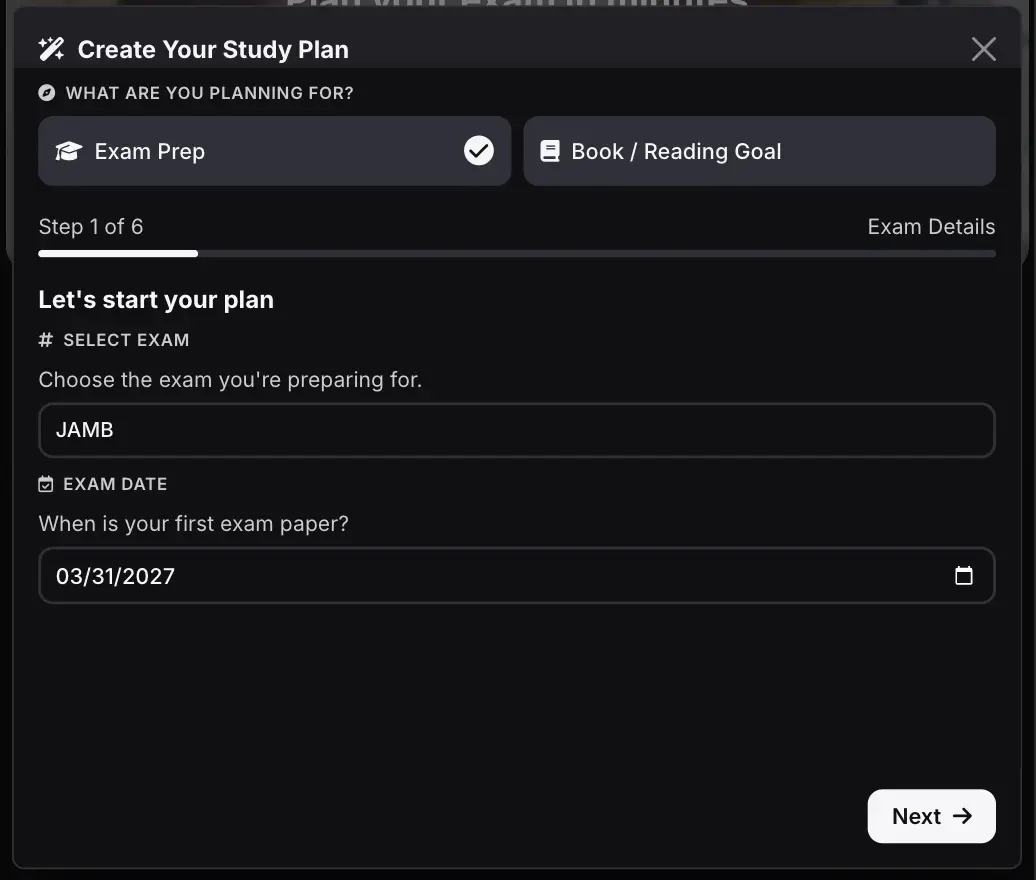
First visit Osioplan here and click on the Get Started button. This opens a setup for you to follow to generate your plan.

Next Pick the exam you are getting ready for and choose the exam date, that is the date in the future when you will be writing your exam. Click the next button when you are done.
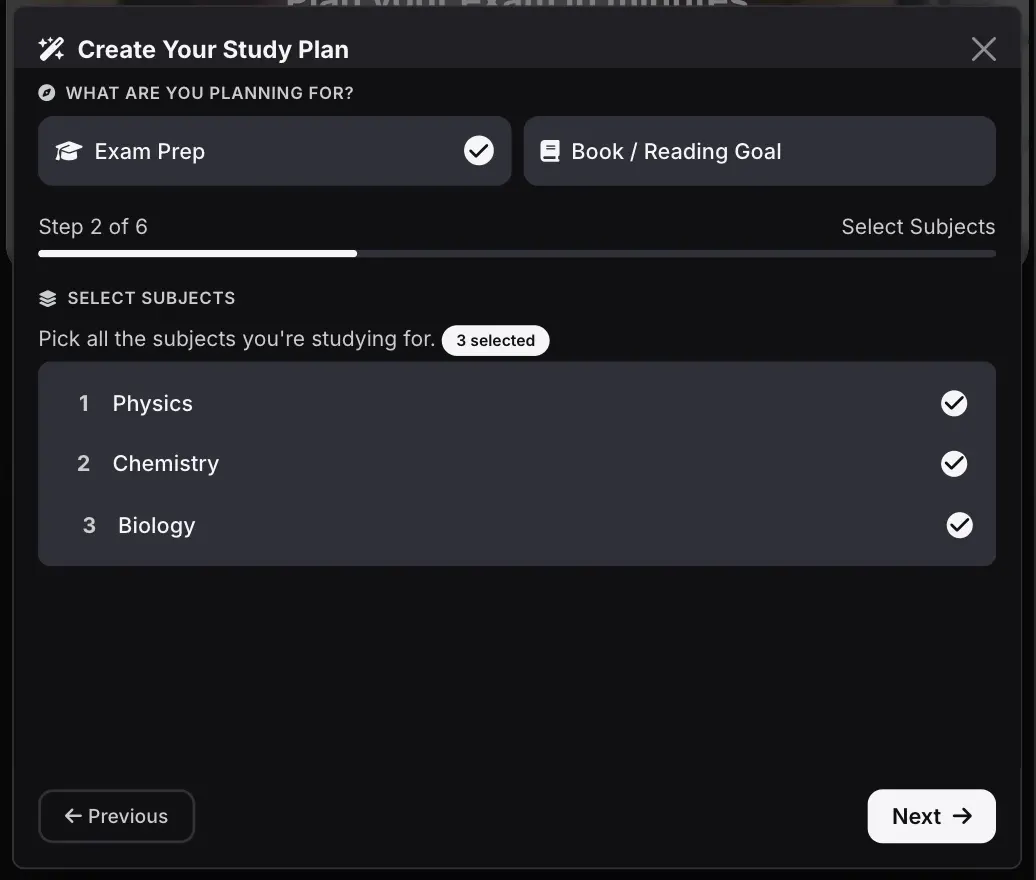
Choose your subjects you will like to prepare for, and click the next button.
Next step you can select the topics you specifically want to read during this period, do not touch anything here if you will like to read all topics. When you are done, click next button.
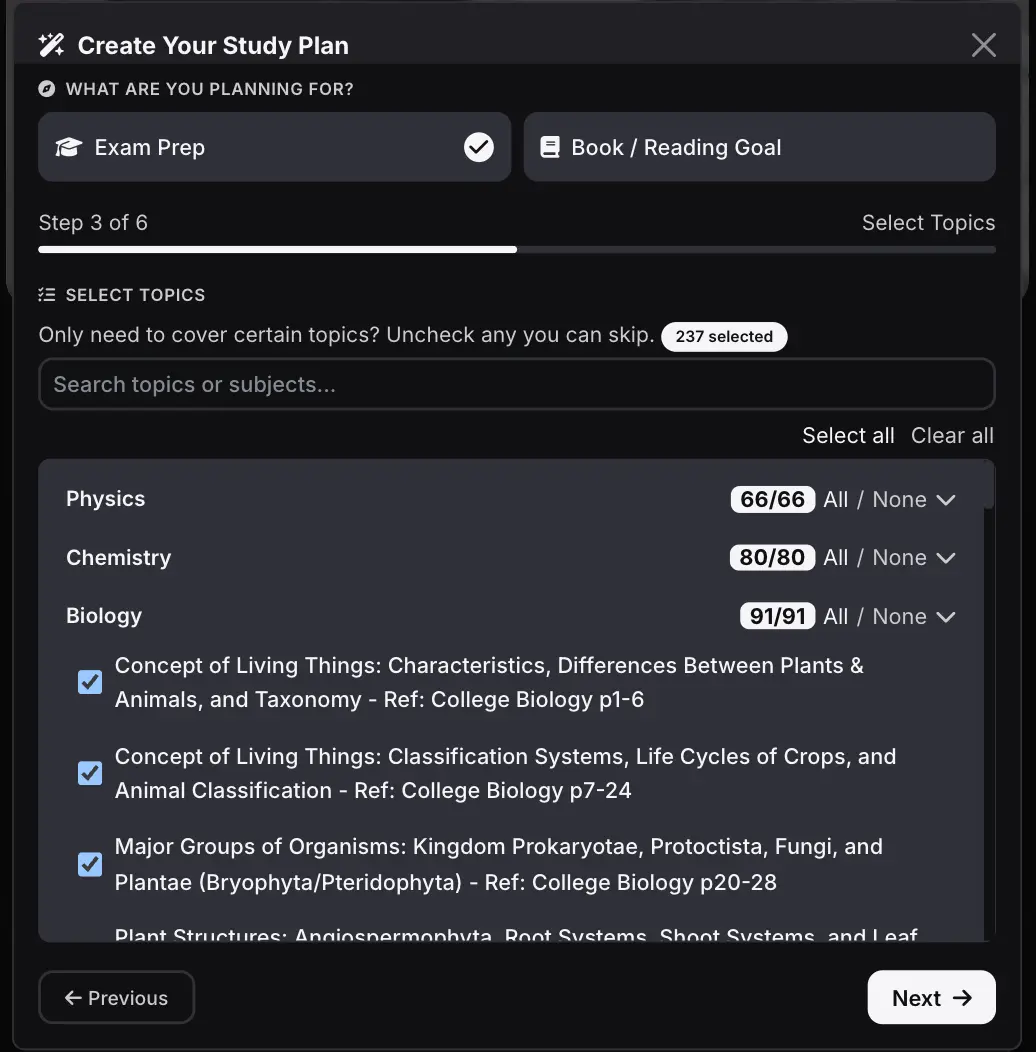
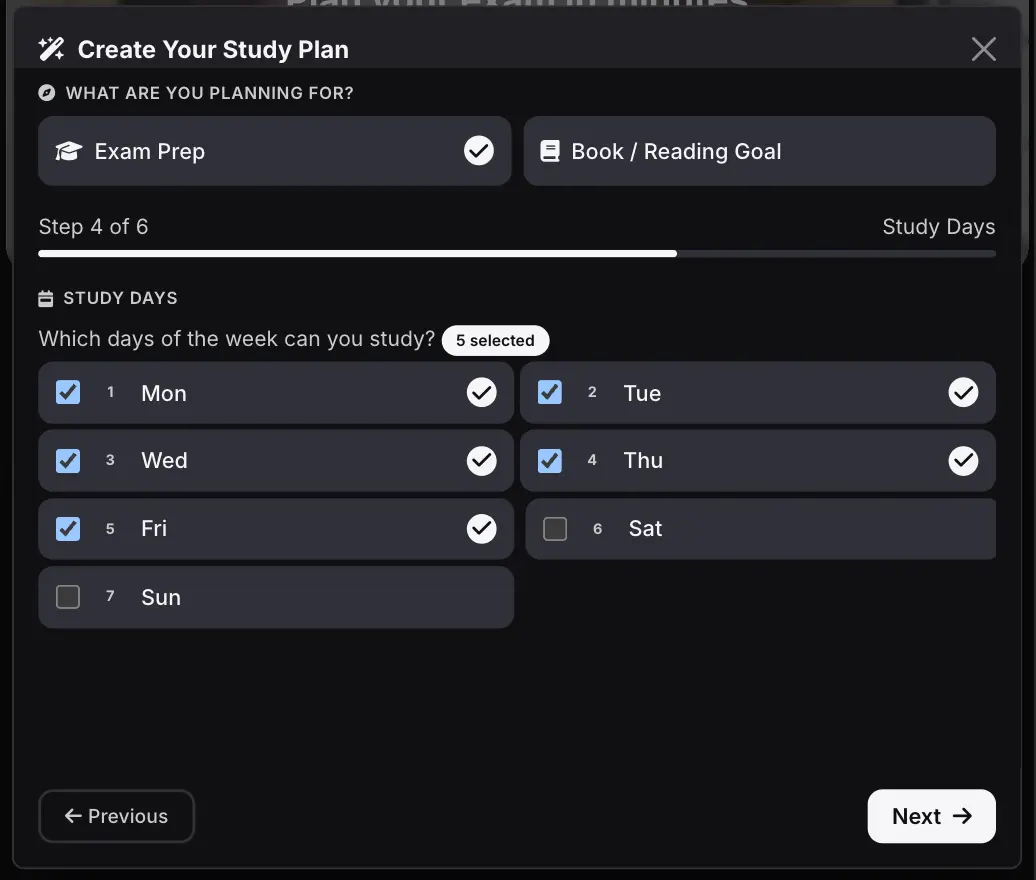
Next you select the days you can study, please be realistic here and only select the days you will actually study. When you are done click next button to continue.
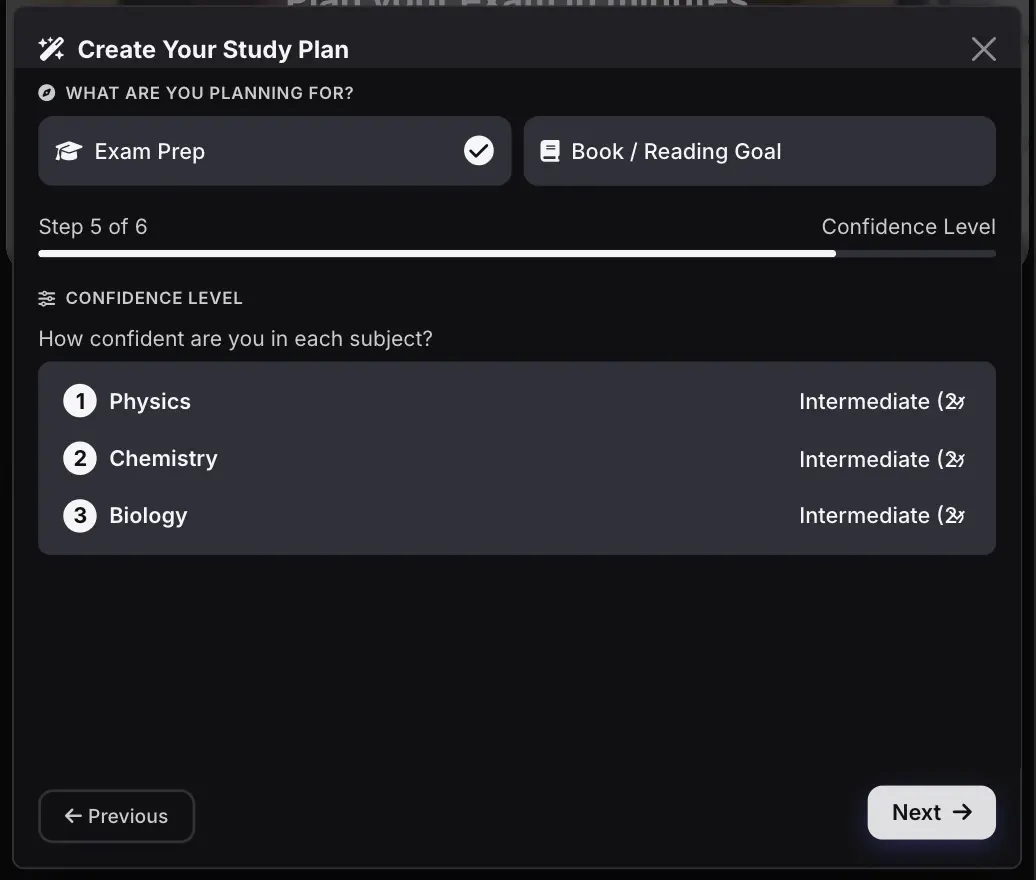
On this step you will have to select your confidence level for the subjects you selected, the level you select for a subject will determine it's priority in the plan and how many revisions you have to do for that subject.When you are done click next to see the summary of your plan.
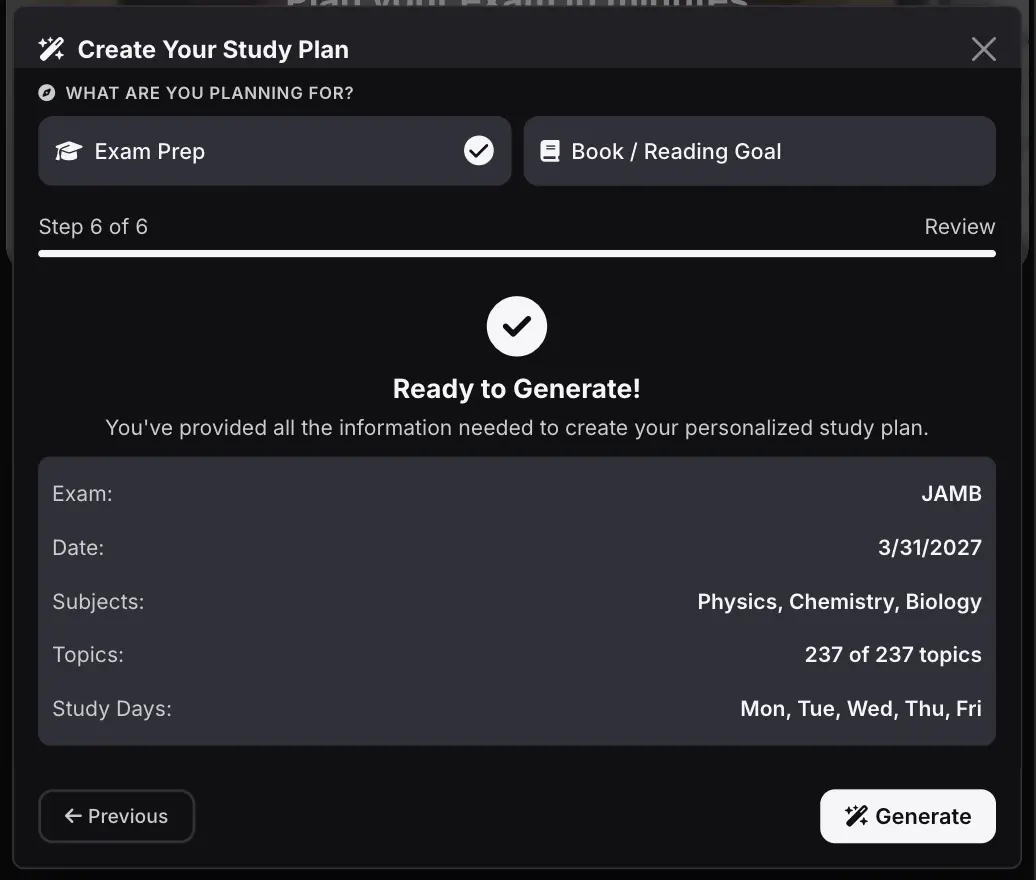
Osioplan then creates a timetable that spreads your study sessions across the time you have left.
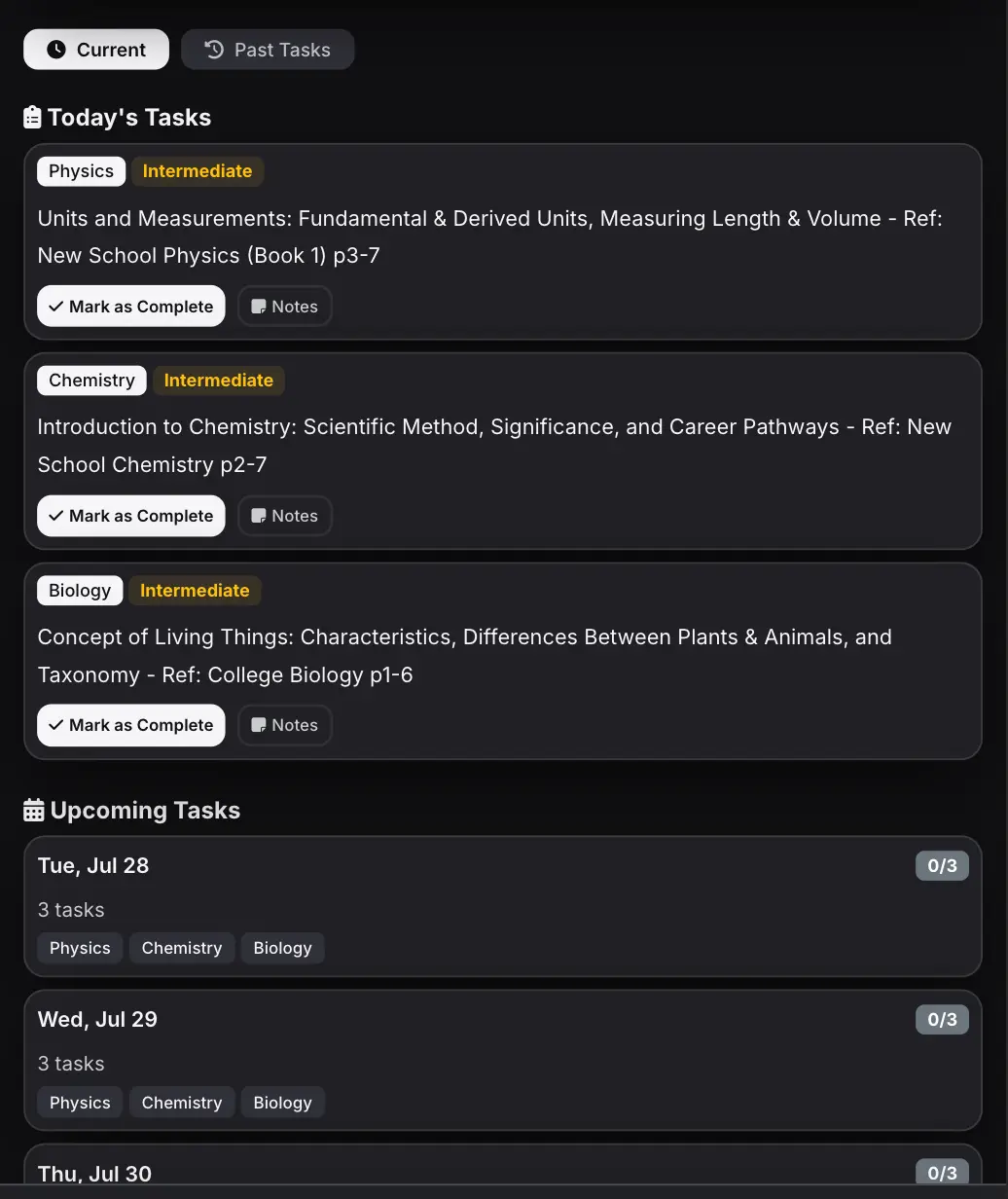
Now that your schedule is ready the next step is making sure you follow it.
Tips to stick to your study plan
Creating a timetable is the easy part. Following it every week is what makes the difference.
Start with small, realistic study sessions instead of trying to study for hours every day. It's better to complete your plan consistently than to burn out after a few days.
If you miss a study session, don't give up. Continue from your next scheduled task instead of trying to cram everything into one day.
As you finish each task, mark it as complete. Seeing your progress can keep you motivated and make it easier to stay consistent.
Remember, your goal isn't to have a perfect timetable. Your goal is to study a little every day until you're ready for WAEC.
If you still have questions about creating a WAEC study timetable, the answers below should help.
Frequently Asked Questions
When should I start preparing for WAEC?
The earlier you start, the better. Even if your exam is still months away, having a study timetable gives you enough time to cover the syllabus without rushing.
How many hours should I study each day for WAEC?
There's no perfect number. What matters most is being consistent. Even 2–4 hours of focused study each day is better than studying for long hours once in a while.
Can I change my study timetable later?
Yes. If your schedule changes or you fall behind, simply update your timetable. A good study plan should be flexible enough to fit your routine.
Should I study all my subjects every day?
Not necessarily. It's usually better to spread your subjects across the week so you can give each one enough attention without feeling overwhelmed.
Is Osioplan free?
Yes. You can generate your WAEC study timetable for free and start using it right away.
Conclusion
Preparing for WAEC doesn't have to be stressful. With a clear study timetable, you can stay organized, cover your subjects on time, and avoid last-minute cramming.
Whether you're starting early or catching up, having a plan makes it easier to stay consistent. The important thing is to start today.
Ready to start studying with a plan?
Use Osioplan's Free WAEC Study Timetable Generator to create a personalized timetable in seconds. Choose your subjects, enter your exam date, and get a study plan that's built around your schedule.
It's free, easy to use, and helps you stay focused from your first study session to your final exam.
Create your free WAEC study timetable today and start preparing with confidence.